Anime character
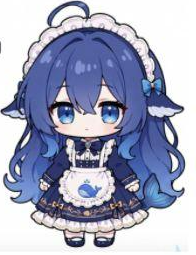 Reference
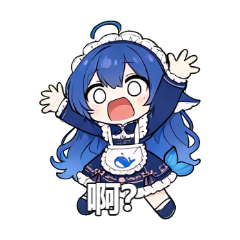
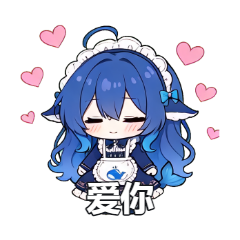
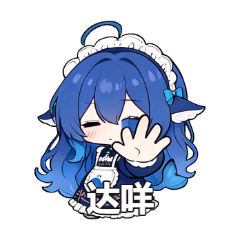
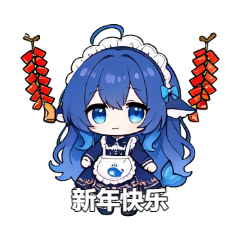
Workflow
-
01
Choose a representative photo
The background does not need to be attractive. A clear, unobstructed subject and natural colors matter more.
-
02
List the reactions you use in chat
Start with replies such as received, speechless, goodnight or refuse. Specific use cases produce a more practical pack.
-
03
Choose a style and add a focused prompt
Use the style control for the overall look. Add prompts only for details that must be preserved or avoided.
-
04
Check at chat size
View the result at thumbnail size. If the silhouette or expression disappears, simplify the pose and background.
-
05
Add text and export
Keep captions short and away from the face. Confirm the target platform's dimensions and whether it accepts static images or GIFs.
What to include in a prompt
Describe the action and any identity details that must remain. For example: “Keep the short hair and blue jacket, then shake the head in disbelief.” One clear objective is easier to evaluate than several competing changes.
- Describe one primary action
- Name the colors, clothing or markings to preserve
- State that no extra characters or text should be added
- Split complex changes across several attempts
Common reasons a sticker fails
- The subject is too small or several faces overlap
- One prompt tries to change clothing, style, background and pose
- The action is too large to read in a square sticker
- The final text becomes blurry after platform compression
Copyright and privacy
Obtain permission before uploading someone else's photo. Commercial use also requires checking rights in the reference image, character, model provider and destination platform.
Avoid misleading content involving real people or children, and follow the content rules of the messaging platform where you plan to use the stickers.
Frequently asked questions
Do I need prompt-writing experience?
No. Start with a built-in scene and style. Add one specific constraint only when the first result misses something important.
How many stickers should a first pack contain?
Eight is a practical starting point. Cover the reactions you use most often, then expand the pack based on actual chat habits.
Can sticker text be edited later?
Yes. The generated image is kept as a base, while text can be edited, hidden or removed and adjusted for size, color, position and rotation.
Can AI stickers be used commercially?
You need to verify the rights to the reference image, the model and service terms, and the destination platform's rules. Mysticker does not replace a legal rights review.